Modify ROH Room Type
Stay is enhanced to support dynamic Run of House (ROH) room type configuration, allowing authorized users to modify the ROH room type name and code while maintaining the existing functionality.
Previously, the ROH room type name and code were bootstrapped and could not be modified. This enhancement allows users to edit the ROH room type name and code.
Permission
The following new permission must be assigned to enable users to modify the ROH room type name and code:
-
Stay_EditROHRoomType
This permission is assigned to the System Administrator role by default.
To users with the permission assigned, the ROH room type name will be displayed as a hyperlink in the Rooms Setup screen (All Settings ➜ General ➜ Rooms & Room Types ➜ Room Types). When clicked, the Edit pop-up screen appears that allows users to modify the ROH room type name and code.
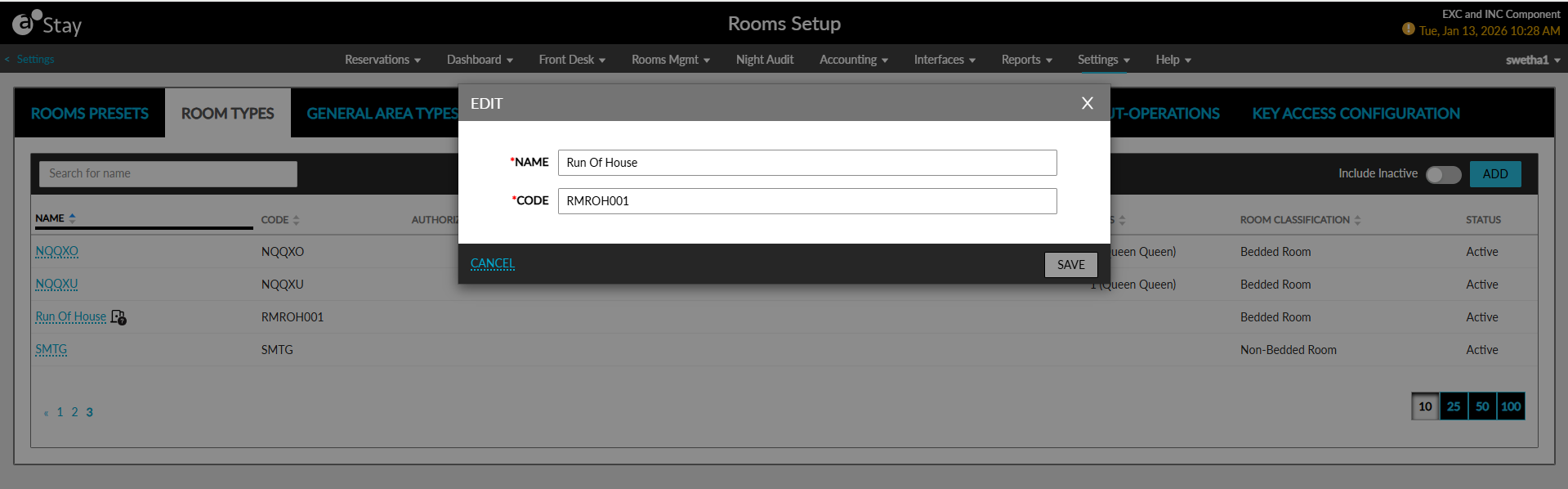
Users can configure a maximum of 2000 characters in the Name field and a maximum of 30 characters in the Code field. The following message will be displayed when the character limit is exceeded: Maximum length exceeded.
Even though the ROH name and code can be modified, the room type will be processed as the Run of House room type, maintaining the existing functionality.
For integrations and outbound messages, the ROH values configured at the property-level will be used.
When creating or updating reservations via integrations:
-
The room type code sent by the integration must match the ROH code configured in the property.
-
When the code does not match, the reservation request will be rejected.
A new icon has been introduced to visually indicate the ROH room type in Stay. When users hover over the icon, the following message will be displayed: Run of House.
Restricting ROH Reservation Booking
A new single-select drop-down list, ROH Reservation Applicable For, has been added to the Property tab of the Property Setup screen (All Settings ➜ General ➜ Property, Buildings & Outlets ➜ Property) that allows users to select the reservation types allowed for booking reservations using the ROH room type. The following options are displayed in this field:
-
Group
-
Transient
An information icon added next to this field displays the following message when hovered upon: The selected reservation type is allowed for booking reservations with Run Of House room type in Stay PMS.
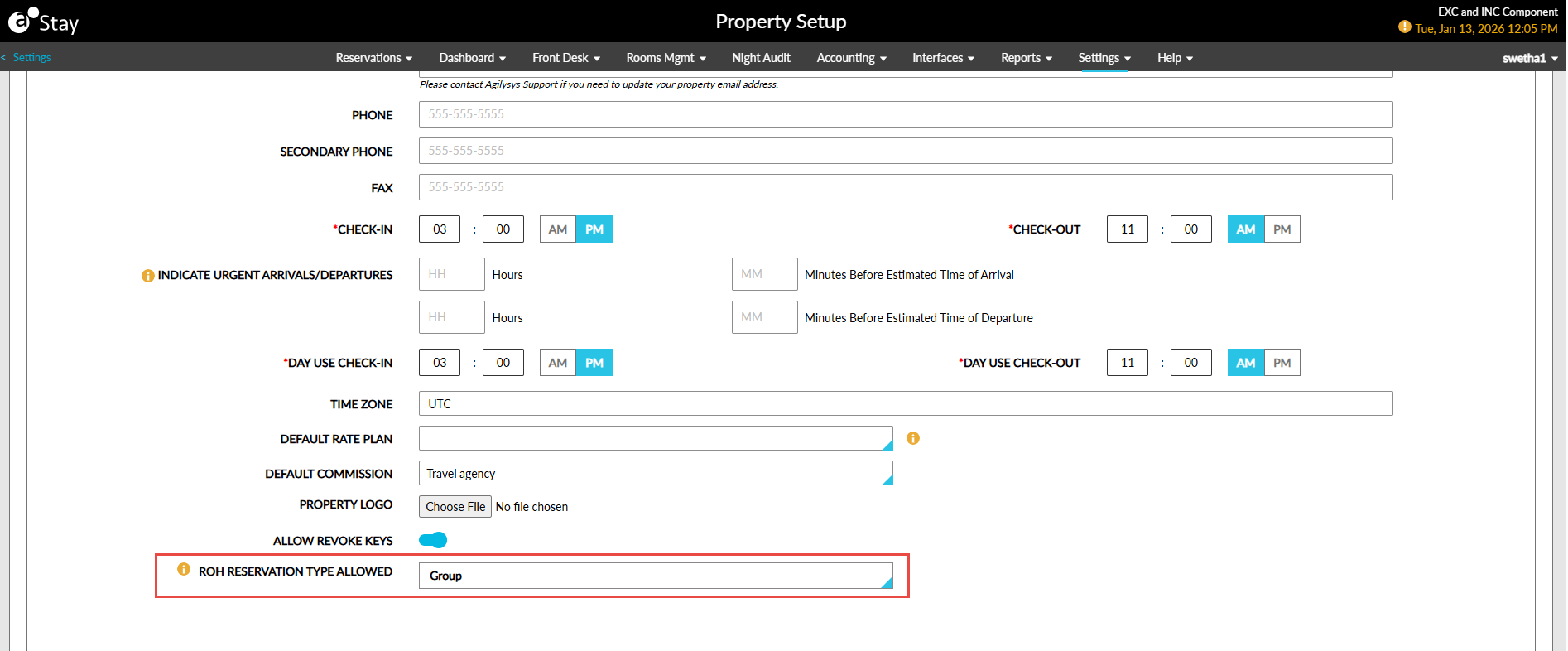
For all customers, both the Group and Transient options will be selected by default. The selected options will determine whether ROH reservations can be created in Stay. For example:
-
When the Group option is selected, ROH reservations cannot be booked for transient reservations.
-
When the transient option is selected, ROH reservations cannot be booked for group reservations.